Simple Sleep Tracker Tool for Excel
Tracking your sleep shouldn't feel like a chore buried in a clunky database. What if the tool you used to monitor your nightly rest was actually a pleasure to interact with, designed with the same attention to visual detail as a premium brand identity? This is exactly the philosophy behind the Simple Sleep Tracker Tool I Excel created by John at Veritas Templates. It proves that even a practical utility can benefit from strong graphic design principles, transforming raw data into an engaging visual experience.
Why Visual Design Matters for Personal Data
In the world of professional graphic design, we understand that how information is presented directly impacts how it is understood and used. A generic spreadsheet might capture the numbers, but a Simple Sleep Tracker Tool for Microsoft Excel that is thoughtfully designed turns those numbers into a narrative. For designers, marketers, and creative entrepreneurs who are constantly honing their eye for detail, this template offers a refreshing blend of function and aesthetics. It is a ready-to-use creative asset that aligns with modern expectations of clear, intuitive interfaces.
Data Visualization Meets Daily Habit
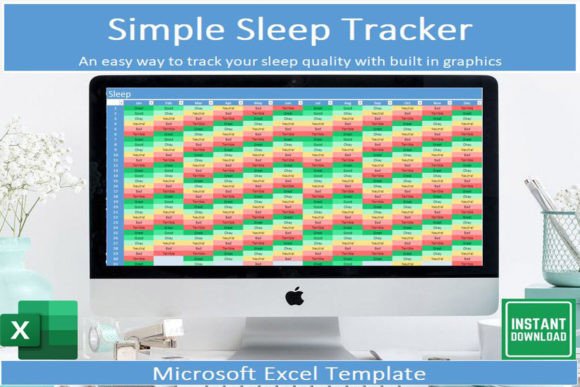
The core of this template is its focus on data visualization. The dedicated “Sleep board” tab acts as a visual dashboard, giving you an immediate snapshot of your weekly patterns. Instead of scanning rows of raw data, you get a color-coded heatmap of your rest. This is a direct application of visual hierarchy—the most important trends are surfaced instantly. For anyone working in UI design or UX design, this template serves as a mini case study in how to prioritize user comprehension.
Automated Color Palettes for Instant Insights
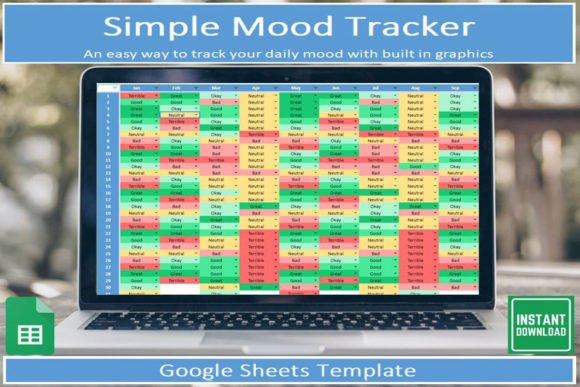
The template uses automated color changing tied to dropdown lists. This isn't just a convenience; it is a dynamic color palette system. Different sleep qualities are assigned distinct hues, allowing your brain to quickly assess patterns through color association. This feature mirrors how we build brand identity systems, where consistent color use creates instant recognition. As you log your data, the template follows a strict design system, ensuring that your final report is visually cohesive and professionally presented.
- Dropdown Lists: Enforce consistent data entry, similar to using a unified font family for a brand guide.
- Automated Coloring: Creates an instant infographic, reducing the cognitive load of interpreting your sleep history.
- Self-Updating Graph: Provides a macro-level view of your trends, perfect for a quick visual audit.
Enhancing Your Design Workflow with Smart Tools
As a designer or creative director, your workflow is precious. You need tools that integrate seamlessly, not ones that add friction. This template is described as "quick and easy to use," meaning you can spend seconds logging your sleep and get back to your creative projects. The built-in, automatically updating graph is a perfect example of effective editorial design—it takes complex timeline data and presents it in a clean, readable format suitable for a professional presentation.
For business owners and marketers, tracking sleep quality can directly impact your performance. Knowing that your data is organized in a visually sensible way frees you to focus on the “why” behind the numbers. This template embraces modern aesthetics without overcomplicating the interface. It is a digital download that requires Microsoft Excel, so you can access and update it on your mobile device, keeping your personal design workflow fluid and mobile-friendly.
Practical Tips for Getting the Most Out of the Template
- Treat It Like a Brand Board: Use the color coding as your personal sleep quality brand. Define what each color means to you and stick to it for consistency.
- Focus on Visual Trends: Pay more attention to the visual tracker and graph than the raw numbers. The visual hierarchy of the board is designed to show you patterns you might otherwise miss.
- Adapt the System: Because the template is cleanly designed, you can easily apply its structure to other areas of your life, like tracking project phases or marketing metrics.
It is important to note that this specific template is designed for personal use and is ideal for those looking for a simple, elegant solution. John at Veritas Templates has ensured that the files provide a robust set of instructions, making it accessible even if you aren't an Excel power user. If you have a pre-existing sleep condition requiring a more comprehensive tool, a more detailed version is in the works—but for a quick, beautiful, and effective way to monitor your rest, this visual tracker is an excellent starting point.
Ultimately, the Simple Sleep Tracker Tool for Microsoft Excel is a testament to the fact that good graphic design can elevate even the most routine tasks. It bridges the gap between raw data and meaningful insight, wrapped in a package that respects your time and your eye for quality. Whether you are a seasoned designer looking to bring your personal data into visual harmony, or a business owner wanting a clean, professional tool, this template delivers a seamless experience that proves design thinking belongs everywhere—even in your bedtime routine.