Project Management Line Icon Set for Modern Design Workflows
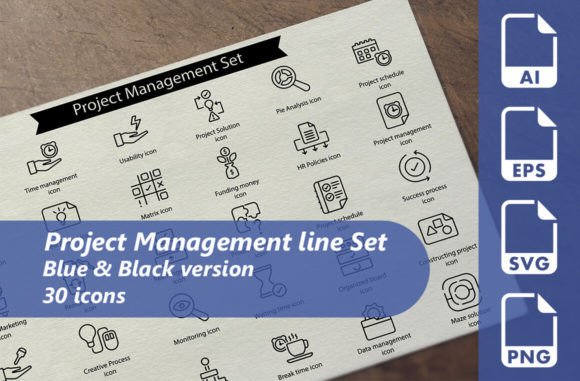
A well-chosen icon set can transform a design project from functional to polished. When you work with project management materials—whether for a website, a presentation, or a printed brochure—icons serve as visual shorthand that helps audiences grasp concepts quickly. The Project Management Line Icon Set offers exactly this kind of utility, with 30 meticulously designed icons that cover core project management tasks and concepts.
These icons are not just decorative elements. They are crafted to support clarity, improve navigation, and reinforce your message without adding visual noise. For anyone who creates content or designs interfaces, this set can save time while raising the quality of your work.
Why a dedicated icon set for project management matters
Generic icon libraries often lack the specificity needed for project management materials. You may find a checkmark or a calendar, but locating a kanban board, a sprint backlog, or a resource allocation symbol can be frustrating. The Project Management Line Icon Set addresses this gap directly. Each icon corresponds to a project management function—planning, tracking, collaboration, reporting, and more. This means you can build interfaces or documents that feel intuitive and professional without forcing mismatched symbols into your layout.
When you use icons that already match your subject matter, your audience spends less time decoding visuals and more time absorbing your content. This is especially valuable in presentations or infographics where every second of attention counts. The set's black line style also ensures that icons stay readable at various sizes, which is a practical advantage when adapting designs for different screens or print formats.
Practical benefits for designers and developers
If you build websites or applications, consistency across your iconography is critical. The Project Management Line Icon Set comes in multiple formats—AI, EPS, SVG, and transparent PNG—so you can integrate it directly into your design software or codebase. SVG files at 128x128 pixels work well for web use, while PNG files at 256x256 pixels give you flexibility for higher-resolution displays. The AI and EPS files are fully editable vectors, which means you can adjust stroke weight, color, or scale without losing quality.
This flexibility reduces the need to recreate icons from scratch or search for alternatives mid-project. For developers, having a single source of consistent icons simplifies implementation. You can use the SVG files directly in your front-end code, ensuring that every icon loads at the correct resolution and maintains alignment with your design system.
For printed materials, the vector formats are equally useful. Whether you are producing a project status report, a proposal booklet, or a training handout, these icons can be scaled to any size without pixelation. The black color scheme also prints cleanly and works well in grayscale, which is a reliable choice for office printers or budget-conscious production runs.
How presenters and marketers benefit
Presentations often rely on visual storytelling to convey complex information. Using generic clip art or mismatched icons can undermine your credibility. The Project Management Line Icon Set gives you a cohesive visual language that aligns with business and productivity themes. Whether you are explaining a Gantt chart, a milestone timeline, or a team workflow, these icons help your slides look deliberate and professional.
Marketers creating promotional materials or landing pages can use these icons to reinforce key benefits. For example, an icon representing "deadline tracking" can accompany a headline about timely delivery, while a "collaboration" icon can support messaging around teamwork. Because the icons are minimalist line drawings, they do not compete with text or other visual elements. This makes them ideal for infographics where you need to pack information without overwhelming the viewer.
Bloggers and educators also find value here. If you write about project management methodologies or productivity tips, adding relevant icons to your posts can break up text and improve readability. The set covers common topics like task lists, priority flags, and risk indicators, so you can illustrate your points without commissioning custom artwork.
Who should consider this icon set
Freelancers and small business owners who handle their own design work often need efficient solutions. Buying an icon set that covers a specific topic like project management can save hours of searching and editing time. You do not need to be a professional designer to use these files—the included formats work with most design software, including free tools that support SVG imports.
Entrepreneurs creating pitch decks or investor materials can use the set to add a polished layer to their presentations. When every detail matters, having icons that match your industry jargon helps you appear credible and prepared.
Hobbyists who enjoy designing templates, planners, or digital products will also find the set useful. You can combine icons with your own layouts to create schedulers, progress trackers, or goal-setting worksheets. The editable vector files let you customize colors or add your own branding if needed.
Limitations and fit considerations
While the Project Management Line Icon Set covers a wide range of common symbols, it may not include every niche concept you need. If your work involves highly specialized workflows or proprietary tools, you might need to supplement the set with a few custom icons. However, for most project management applications—task tracking, team coordination, reporting, and planning—the 30 icons provide solid coverage.
The black color scheme is clean and professional, but if your design requires colorful or multi-tone icons, you will need to edit the vectors manually. The editable AI and EPS files make this straightforward, but it does add a step to your workflow. Consider whether the simplicity of black line icons fits your brand or whether you prefer to spend time customizing them.
Another point to evaluate is the size of the set. Some designers prefer larger collections that include multiple variations of the same concept. If you need dozens of alternative styles for a single idea, this set may feel limited. But if you value quality over quantity—each icon is carefully designed—then the 30 icons here can carry your project without feeling repetitive.
Getting the most out of your icon set
To maximize the value of the Project Management Line Icon Set, plan how you will use the icons before starting your design. Identify the key actions or concepts in your project that benefit from visual representation. For a website, you might assign icons to navigation categories like "Dashboard," "Tasks," "Reports," and "Team." For a presentation, choose icons that visually summarize each slide's main point.
Because the icons are line-based, they pair well with bold typography and plenty of white space. This combination creates a modern, clean aesthetic that feels approachable and professional. You can also apply a brand color to the icons as a background accent or use them in a monochrome layout for a minimalist look.
When using the PNG files, note that the transparent background makes layering easy. You can place icons over colored sections, photos, or other graphics without worrying about unsightly boxes. The 256x256 pixel resolution gives you room to display icons at a moderate size without blurriness, though you should test them at your intended dimensions, especially for large print applications.
Feedback and community support
One practical advantage of choosing a well-supported icon set is the ability to leave feedback or ask questions. If you encounter a specific use case that the set does not cover, or if you need guidance on file formats, being able to comment and get a response can save time. This kind of community interaction also helps you see how other designers and professionals use the same resources, which may give you new ideas for your own projects.
If the set meets your expectations, leaving a rating helps other buyers make informed decisions. This transparency supports the marketplace ecosystem and encourages creators to keep producing high-quality resources. For you, it is a simple way to contribute to the community while benefiting from a practical tool.
In summary, the Project Management Line Icon Set delivers 30 clean, professional icons that are ready to use across websites, presentations, print, and more. The multiple file formats and editable vectors give you control over customization, while the focused subject matter ensures relevance for project management contexts. Whether you are a designer, marketer, educator, or entrepreneur, this set can streamline your workflow and strengthen your visual communication.