Calendar Icon Set: A Practical Guide to Choosing the Right Visual Toolkit
When you are designing a website, preparing a presentation, or putting together a printed brochure, small visual details often make the biggest difference. A set of icons, especially something as universally needed as calendar icons, can either elevate your project or leave it feeling generic. The Calendar Icon Set, described as a collection of 50 meticulously designed calendar icons, aims to give designers and developers a versatile, high-quality resource. But how do you know if this particular icon set is the right fit for your workflow? Let's walk through what this set offers, how it compares to other options you might be considering, and the practical factors that should guide your choice.
What the Calendar Icon Set Offers and Why It Stands Out
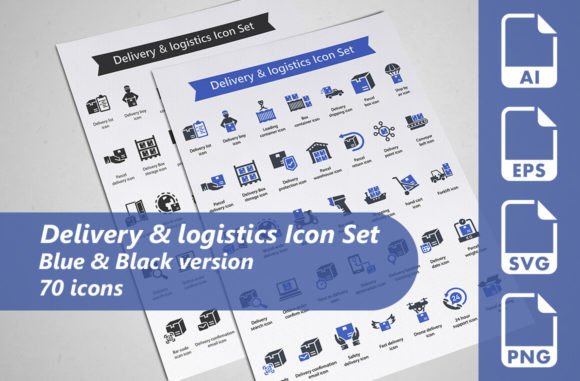
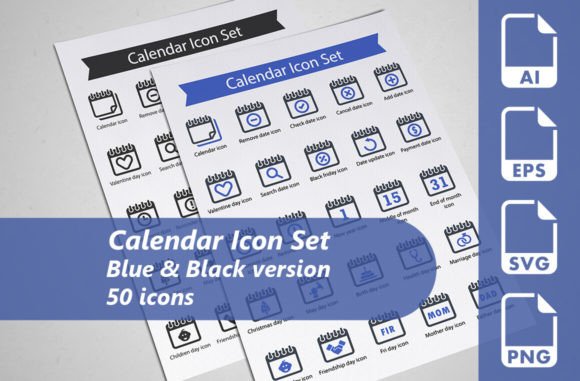
At its core, this Calendar Icon Set provides 50 individual calendar icons. The numbers matter here because 50 icons give you enough variety to handle different contexts without overwhelming you with hundreds of near-identical variations. You get two color versions for each icon: blue and black. That brings the total to 100 icon variations, which strikes a practical balance between consistency and choice.
The set includes fully editable vector AI files, SVG files, EPS10 files, and transparent PNGs. This range of formats is one of its strongest points. Whether you are working in Adobe Illustrator, Sketch, Figma, or a web development environment, you can likely use these files without conversion hassles. The SVG files, in particular, are critical for modern web design because they scale perfectly on retina displays and can be styled with CSS. The transparent PNGs are useful for quick mockups or when you need a ready-to-use image without opening a vector editor.
What makes this set distinct is the emphasis on meticulous design. Calendar icons are deceptively simple. A poorly designed calendar icon can look clunky, have uneven spacing, or fail to read clearly at small sizes. This set appears to focus on clean lines, balanced proportions, and a professional aesthetic that works across both digital and print media.
Comparing Formats: Vector, Raster, and Everything In Between
When you are evaluating any icon set, the format availability is a major decision factor. The Calendar Icon Set covers most bases with AI, SVG, EPS, and PNG. But let's break down what each format means for your specific use case.
Vector formats (AI, SVG, EPS): These are essential if you need to resize icons frequently or modify colors, stroke weights, or shapes. For web developers, SVG is the gold standard because it keeps file sizes small and integrates natively with HTML and CSS. For print designers, AI and EPS files ensure that icons remain sharp at any resolution. The Calendar Icon Set includes all three, which is a clear strength. Some competing sets only offer one vector format or require you to purchase them separately.
Raster format (PNG): The transparent PNGs in this set are convenient for quick use, but their resolution is fixed. If you need to blow up an icon to a very large size, you might lose quality. However, for most standard applications—web buttons, presentation slides, infographic elements—the included PNGs should be sufficient. The tradeoff here is that you are reliant on the original export resolution. If high-resolution raster assets are critical for your project, you may want to confirm the pixel dimensions of the PNGs.
Compared to icon sets that only provide one or two formats, the Calendar Icon Set gives you more flexibility from the start. You do not have to convert files yourself, which saves time and preserves quality.
Strengths and Practical Tradeoffs
Every design resource comes with strengths and tradeoffs. Understanding these helps you decide whether this set aligns with your project needs.
Strengths of the Calendar Icon Set
- Variety within a focused theme: 50 icons give you enough options for date pickers, event reminders, scheduling interfaces, monthly views, and more. You are not stuck with just one generic calendar icon.
- Two color versions: Blue and black are neutral, professional choices that fit corporate branding, healthcare apps, educational platforms, and creative portfolios. You can also recolor the vectors easily if you need a specific brand color.
- Full editability: Because the AI files are fully editable, you can tweak every element. This is valuable if you need to match existing design systems or create custom variations later.
- Cross-platform readiness: With SVG, EPS, and PNG, you can use these icons in web design, print, video, presentation software, and even mobile app assets.
Tradeoffs and Limitations
- Only two color options by default: While you can recolor the vectors, the included PNGs are limited to blue and black. If you need a wider range of pre-made color variants, you may have to generate them yourself.
- No icon font or spritesheet included: Some modern icon sets also provide a web font or a CSS spritesheet for easier integration. This set relies on SVG and PNG for web use, which is fine for most developers but may require extra setup if you prefer font-based icons.
- Limited to calendar themes: This is obviously not a general-purpose icon set. If you need a broader library covering multiple topics, you would need to combine this set with others.
Best-Fit Situations: When This Set Shines
The Calendar Icon Set is an excellent choice in several common scenarios:
- Web development projects with date functionality: If you are building an event booking site, a scheduling app, or a content management system with date filters, these icons give you recognizable symbols that users understand immediately.
- Print materials like planners and calendars: For printed products such as wall calendars, diary inserts, or promotional materials about time-sensitive offers, the vector files ensure crisp output at any print size.
- Presentations and infographics: When you need to communicate timeframes, deadlines, or milestones in a slide deck or infographic, clean calendar icons add professional polish without distracting from your message.
- Promotional materials and social media graphics: Blue and black icons are versatile enough to match most brand palettes, and the transparent PNGs let you place them on different backgrounds quickly.
When You Might Need a Different Option
No single icon set works perfectly for every project. Here are situations where you might consider alternatives:
- If you need a massive variety of icon themes: The Calendar Icon Set is specialized. If your project requires icons for email, settings, users, payments, and navigation alongside calendar icons, a larger comprehensive icon library might be more efficient.
- If you prefer icon fonts for web performance: Some developers prefer using icon fonts (like Font Awesome) because they load as a single file and can be styled with CSS easily. This set does not offer that format.
- If you need pre-colored icons for multiple brand palettes: If your project has five different color themes and you need ready-to-use icons in each, you would need to recolor the vectors yourself or find a set with more color options.
- If your design style leans heavily toward line art or filled icons: This set has a specific design style. If you need ultra-minimal line icons or heavily detailed illustrated calendars, the aesthetic may not match.
Decision Factors: How to Choose the Right Calendar Icon Set
When comparing this Calendar Icon Set with other options, consider the following factors:
Format Compatibility
Check which formats your design tools and final output require. If you work primarily in Adobe software, the AI and EPS files are ideal. If you are a web developer using React or Vue, SVG files are essential. If you are a non-designer who just needs quick PNGs for a presentation, the PNGs in this set should suffice. The Calendar Icon Set covers all these bases, which reduces friction.
Design Style and Consistency
Look at the icon design closely. Are the strokes consistent? Are the rounded corners uniform? Do the icons look good at 24x24 pixels and at 200x200 pixels? A meticulous design means you will not have to spend time fixing uneven shapes or awkward proportions. The set's emphasis on quality design suggests that these icons were crafted with attention to detail.
Number of Icons vs. Breadth of Coverage
50 icons for a single subject is generous. Some sets offer only 5-10 calendar variations. More icons mean you can represent different calendar states: a single date, a range of dates, a week view, a month view, an appointment reminder, etc. If you need this level of specificity, the Calendar Icon Set likely has what you need.
Licensing and Usage Rights
Always check the license terms. For commercial projects, you need to confirm that the icons can be used in client work, in your own products, and in promotional materials. The description implies broad usability, but you should verify the exact license before purchasing.
Practical Examples of Use
Let's consider a few realistic scenarios to illustrate how this set might fit into a project workflow.
Scenario 1: Building a booking website for a small hotel. You need a date picker icon, a check-in icon, a check-out icon, and an availability icon. With 50 icons, you can pick distinct symbols for each function. The SVG files let you load them inline in React components with ease. The black version works well on light backgrounds, while the blue version adds a subtle brand accent.
Scenario 2: Designing a printed quarterly planner. You want a calendar icon for the cover, smaller icons for each month section, and a few decorative elements for key dates. The vector AI files let you scale the icons to any size and even adjust the line thickness if needed for the print medium. The EPS files are compatible with most professional print workflows.
Scenario 3: Creating a promotional flyer for a time-limited sale. You need a bold calendar icon that communicates urgency. You can use the blue version for contrast and add a custom "limited time" badge around it using the editable AI file. The transparent PNG also works well if you are layering the icon over a photo background in Canva or Photoshop.
Making Your Decision
Ultimately, the Calendar Icon Set offers a well-rounded package for anyone who needs professional, editable calendar icons. Its strengths lie in format variety, design quality, and the right amount of variation. The tradeoffs are minor: limited pre-made color options and no icon font format. For most design and development projects, these are not deal-breakers.
If your work regularly involves dates, schedules, events, or time-based content, having a dedicated set like this one can save you hours of hunting for the right icon or trying to create your own from scratch. The blue and black colors are neutral enough to fit into most visual systems, and the vector files give you full control when you need to adapt them.
On the other hand, if you are looking for an all-in-one icon solution for a massive multi-topic project, you may want to supplement this set with a broader icon library. Similarly, if you strictly use icon fonts for web projects, you may need to convert the SVGs into a font format yourself or choose a font-based set.
Take a close look at the design samples and format list before deciding. If the aesthetic matches your project's style and the file types align with your tools, this Calendar Icon Set can be a reliable, time-saving resource that adds a polished look to your work.